iPadOS May 2026
Global headlines curated by our intelligent agents.
Latest News
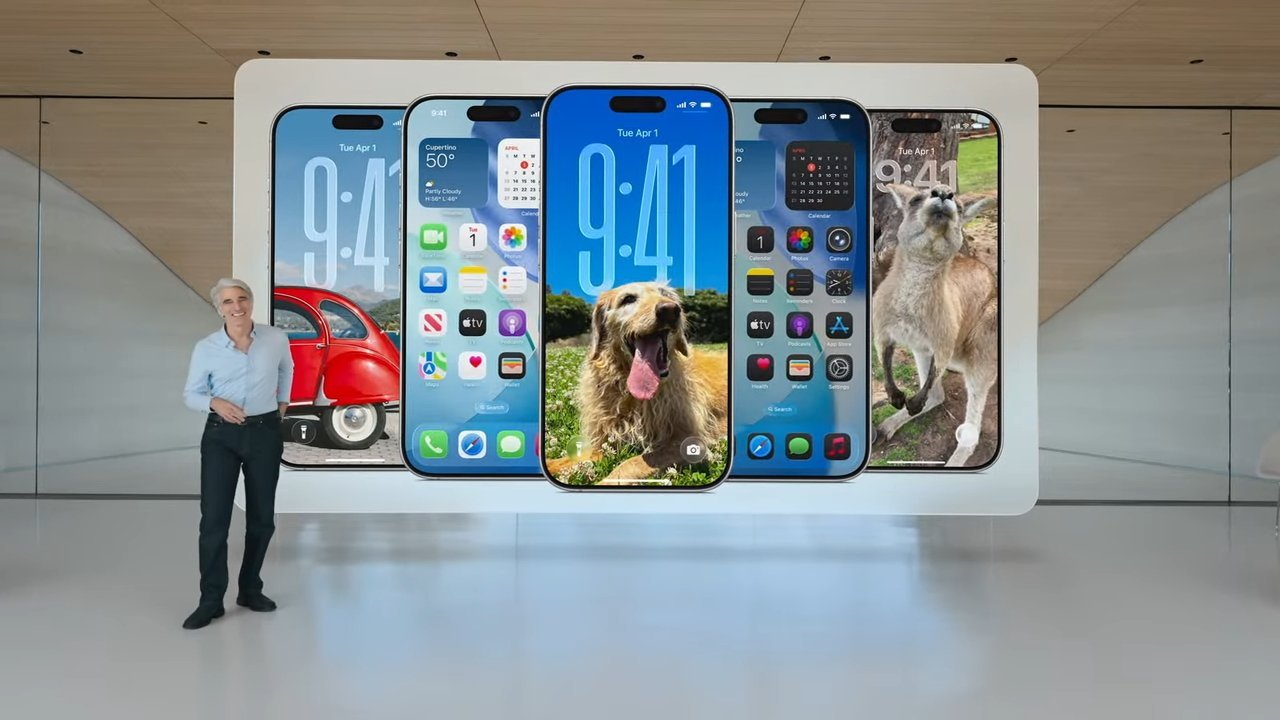
Don't Want to Wait for iOS 27? Shortcuts Playground From MacStories Generates Shortcuts Using AI
Apple is rumored to be adding an AI feature for creating shortcuts with natural language to the Shortcuts app in iOS 27, but MacStories' Federico Viticci has a clever AI tool for making shortcuts that you can use today. Shortcuts Playground is a plugin for Claude Code and OpenAI Codex that can create shortcuts for the Apple Shortcuts app using natural language input.
Viture Beast XR Glasses
XR glasses like the Viture Beast have been around for a few years now, but I always saw them as kind of a gimmick. Back when the original Legion Go handheld came out, I tried Lenovo’s first try at the Legion Glasses, and while they were definitely neat, they were fiddly and just ended up giving me a headache. But a lot has changed in the last few years. The Viture Beast XR glasses deliver the feeling of a gaming headset, but for your eyes. The 1200p combined display looks crisp, and the speakers embedded in the stems, or temples, are good enough that I don’t feel the need to dig out headphones to wear awkwardly on top of them. But more than anything, these glasses are actually comfortable to wear for more than 10 minutes, which is huge in a world where handheld gaming has blown up as much as it has. Because no matter how good the built-in displays on the Legion Go 2 or the Switch 2 are, nothing quite beats laying back and playing your games on a giant TV that your brain’s been tricked into thinking is on your ceiling. Purchasing GuideThe Viture Beast XR glasses are available now on Viture's website for $549. That'll get you the glasses and a carrying case. But if you want the mobile dock that'll let it work with the Nintendo Switch 2, that'll cost you an extra $99.What Even Are XR Glasses?If you’re not already a handheld gaming sicko, it’s very likely that you’ve never even heard of XR glasses before. Basically, these are glasses with little displays embedded behind each lens, which project a display right in front of your eyes. And because there are two displays so close to your eyes, these glasses essentially trick you into thinking you’re looking at a much larger display than you are. To be clear, nothing is actually running on these XR glasses. Instead, think of these as a monitor that you can strap to your face, and connect to whichever device you want to use – as long as it supports USB-C display output. Right off the bat, that means all kinds of devices can use this to expand screen real estate. You can plug it into your phone, a tablet, or even that 14-inch work laptop you’re hunched over all day. All of these devices would benefit from a larger display, and Viture claims the Beast glasses simulate a 174-inch screen on its highest setting. And while I can’t exactly break out a tape measure to check that, it feels accurate. But the biggest benefit I’ve found for the Viture Beast and other XR glasses has been plugging them into a handheld gaming PC like the Xbox Ally X, especially while traveling. Because, for all the progress that handhelds have made in being comfortable to use over long periods of time, they can still really start to weigh you down, especially during a long flight. With these glasses, though, you can lay your head back and play your games on a giant screen, while just holding your device in your lap.Even at home, because I don’t have a lot of space for large TVs, I’ve been using these glasses to watch TV or play games on the Xbox Ally X without having to stare at its small 7-inch screen for hours at a time. So while it does still feel like we’re in the early days of XR glasses being a thing, they are only getting more sophisticated over time, and I can see them becoming ubiquitous, especially as portable gaming gets more and more popular. Design and FeaturesRight out of the box, Viture’s The Beast glasses look like particularly thick sunglasses. Because of the displays behind each lens, they by necessity need to stick out a bit from your face. I’m sure there’s some way to solve this sometime, but for right now, this makes them look quite dorky. Even the temples, or stems, of the glasses are quite thick, due to the speakers and all the little buttons worked into each of them. So, while Viture was clearly going for an unassuming aesthetic, it still looks like you’re wearing a device on your face. But, I don’t think that’s necessarily a bad thing, especially if you’re just looking for something to use at home or on the plane. The front of the glasses has Viture’s ‘V’ logo in the top right corner, along with a camera in between the two lenses. Eventually, Viture claims this camera will be used for spatial computing features, but right now it’s mostly used to help track head movement, so that the display follows your gaze. Luckily, there's a little sticker sheet of camera covers, and you don’t really lose much by covering it up if having a face-mounted camera makes you uncomfortable.On the top of each lens is a shroud that partially houses the display behind each lens. This is where each display is actually housed, and it tends to get quite warm while you’re using them. That hasn’t been a problem for me yet, but I expect that using The Beast during a hot summer’s day is going to be miserable. Luckily, airplanes get quite cold, so that should balance out. Below this shroud is the nosepad, and luckily, it’s interchangeable. The Beast comes with three different options, each for a different size of nose. The goal is to get the glasses to sit as close to your eyes as possible, so that the displays are clear. A lot of times, I’ve noticed that if the glasses slide down my nose, the display will get blurry, which can be a bit headache-inducing. A lot of that comes down to how the glasses work. The two humps at the top of the glasses house the actual display, which use mirrors to project the display down to each of your eyes. This has the effect of making it look like you’re looking at one giant monitor, instead of two projections of a display. But, the effect lessens the further you are from the prism display. On the bottom of each of the temples are two buttons, a long button that looks like a volume rocker on any other device, and a short button. By default, the long button on the right controls transparency: turn it all the way down, and you’ll easily be able to make out your environment, making it look like a giant TV is just floating in the room around you. I prefer to keep this setting turned all the way up, which completely blacks out the area around the projected display, especially when I’m playing games. The short button on the right side changes the anchor mode of the glasses. You can toggle between a no-depth-of-field option, an anchored option that’ll make the display look like it’s staying in one spot, and a ‘Smooth Follow’ that’ll have the display sit in the center of your field of view when you move your head. The latter of these anchor modes is why the little camera on the front of the glasses is necessary, as it helps track your head’s movements to keep things stable. Over on the left hand side, the long button adjusts the display brightness. It would have made a lot of sense for Viture to have this rocker adjust volume by default – instead, you have to do a short press on the button in front in order to bring up a volume meter that you can then adjust. Each of the buttons also does something different when you long-press them, which makes for a dizzying amount of button combinations to memorize. Luckily, when you first plug The Beast glasses in, you’ll be walked through a tutorial that’ll tell you how to use each of the buttons – and it’s even repeatable. On the far end of each of the temples are directional speakers that Viture says were co-engineered with Harman Kardon. I’ll admit that I went into this expecting these speakers to be awful considering the amount of space they have to work with, but they sound awesome. Even when I’m grinding away in Diablo 4, I can make out all the little sounds of demons perishing to my 10th Sorcerer in three years. The USB-C cable that connects Viture’s The Beast to whatever device you want to use them with, plugs in on the back of the right temple. Luckily, Viture includes an angled connector, which naturally drapes the cable over your ear, rather than a standard USB-C cable which would jut straight backwards. My only problem with this cable is the length. When I first started using these glasses I had a vision of plugging them into a gaming laptop on my nightstand and then playing Assassin’s Creed Shadows maxed out while lying in bed and looking at the ceiling. But, with this short cable that’s impossible unless I want to smother a rapidly heating gaming laptop in a mass of blankets. However, this is a problem that’s solved simply by grabbing a longer cable off of the shelf, so it’s not that big of a deal. Just something to keep in mind. PerformanceI haven’t used a ton of XR glasses in the past – after all, they’re a pretty new category – but the Viture Beast is probably the best pair I’ve used so far. Text is mostly readable and the display gets bright and colorful enough that I don’t find myself longing for my monitor after a few minutes. They’re not perfect, though. There have been a few times where I’m playing a game, and any text that’s on the edges of the display starts to get blurry. Admittedly, this is only really a problem for me, because I’m a hardware sicko that needs to look at a performance overlay at all times when I’m playing games. But there were times when I was playing Vampire Crawlers where the already pixelated text in the corners of the screen was a bit blurry, and it started to give me a headache. I can’t help but wonder if the blurriness is due to the resolution. A 1200p resolution is fine for a smaller display, but stretched out across a giant TV, text is going to start getting blurry. But, then again the actual display size is quite small, so it could just be down to my narrow IPD (interpupillary distance). Viture also claims that the Beast glasses feature up to 108% of the Adobe RGB color gamut and peak ‘perceived’ brightness of 1,250 nits. This is something I’d typically measure on a standard gaming monitor with a colorimeter, but that’s not really an option here. I will say, though, that the display does seem to get plenty bright and colorful for watching movies or playing games. But I wouldn’t necessarily recommend them for any kind of creative work. However bright the glasses do actually get, they do work hard to get there. After using them for a while the top of the glasses gets shockingly warm to the touch. It’s not enough to burn you, and Viture has found a way to make it so that you don’t feel the heat when you’re actually wearing them, but it definitely surprised me when I first took them off after an extended play session. I said at the top that XR glasses are like ‘gaming headsets but for your eyes.’ For short play sessions, the comparison rings true. But while a good headset can be comfortable for hours on end, XR glasses aren’t quite there yet, but I can see them getting there soon. In the meantime, the Viture Beast XR glasses are a great way to kick back on a flight and play games on a handheld without having to hold up a bulky device the entire way.Jackie Thomas is the Hardware and Buying Guides Editor at IGN and the PC components queen. You can follow her @Jackiecobra
Brye song that hit 100M streams was produced in GarageBand on school iPad
Indie singer-songwriter Brye has shared a TikTok video revealing that her song Lemons – that notched up 100M streams –...
Apple Debuts Sleep Apnea Alerts and Hearing Test Features in India
Apple has announced the rollout of two new device features in India: sleep apnea notifications for Apple Watch, and Hearing Test for AirPods Pro. Sleep apnea is a condition in which breathing repeatedly stops and starts during sleep, often leading to poor rest. The Apple Watch detects signs of the disorder by using its accelerometer to track subtle wrist movements associated with irregular breathing patterns.
MacBook Pro OLED Display Production Clears Key Hurdle
Apple's first OLED MacBook Pro models have cleared a major manufacturing hurdle, with panel supplier Samsung Display having reportedly achieved yields above 90 percent on its Gen 8.6 OLED production line. According to Korean publication The Elec, some individual process stages are now reaching yields as high as 95 percent, a level that the display industry considers "golden yield" territory for stable mass production.
iOS 27's New AI Voice Control Feature Hints at Major Siri Upgrade Coming Soon
Every May, Apple previews new accessibility features coming to devices like the iPhone, iPad, and Mac. The announcement typically occurs a few days before Global Accessibility Awareness Day, and it offers a glimpse into what will be included in the next major releases of Apple's software platforms, such as iOS, iPadOS, and macOS. This year, one of the new capabilities shown off by Apple is natural language support for the Voice Control feature on the iPhone and iPad.
Apple Says iOS 27 Can Automatically Add Captions to Your Personal iPhone Videos
Apple this week previewed new accessibility features that are coming later this year, and one is particularly notable: automatic captions for personal videos. For videos that do not already have captions, Apple said a new on-device speech recognition model can automatically generate them for spoken audio. According to Apple, this feature will be available for videos that you record on your iPhone, videos that you receive from friends and family, and videos that are streamed online.
Deals: M3 iPad Air $400 off, 1TB M5 iPad Pro all-time low, 24GB M5 MacBook Pro $1,499, Apple Watch Ultra 3, more
The 2026 Memorial Day sales at Amazon and Best Buy are now live, and today’s 9to5Toys Lunch Break deals are ready too....
Plex Tripling Lifetime Plex Pass Price to $750 in July
Media platform Plex today said that it is increasing the price of its Lifetime Plex Pass option to $750, which is a $500 increase from the current $250 price tag. Plex said that the updated price reflects the "real, ongoing value" of the software that it plans to build and maintain.
Today Only, Save $900 Off the Asus ROG Flow Z13 Gaming Ultra-Portable Laptop and Tablet Hybrid
This tiny 2.65lb convertible with 64GB of RAM is more powerful than many full-sized gaming laptops.
Apple 'Shakes Up' Oversight of Product Design Ahead of CEO Change
In his new role as Chief Hardware Officer, Apple's longtime chipmaking chief Johny Srouji has reorganized the company's hardware development leadership "to speed up work on future devices," according to Bloomberg's Mark Gurman. The reshuffling is aimed at bringing chip and product development closer together. "The hardware shake-up is also meant to better integrate teams working on in-house silicon with those creating products," explained Gurman.
The 1TB 11-inch iPad Air just plunged to $849, and it’s not a price glitch
The 1TB Apple iPad Air 11-inch with M3 chip is $400 off on Amazon today, which is its lowest price ever by a long distance.
Best Buy Hosts Memorial Day Sale With Notable Apple and Tech Deals
Best Buy kicked off its annual Memorial Day sale this week, with notable markdowns on Apple devices, TVs, headphones and speakers, monitors, appliances, and much more. This sale is set to last through Memorial Day on Monday, May 25, and you don't need to be a My Best Buy Plus or Total member to see the deals. Note: MacRumors is an affiliate partner with Best Buy. When you click a link and make a purchase, we may receive a small payment, which helps us keep the site running.
Apple Previews New Accessibility Features Powered by Apple Intelligence
Apple today announced a suite of accessibility updates that use Apple Intelligence to expand capabilities across VoiceOver, Magnifier, Voice Control, and Accessibility Reader, with additional new features for generated subtitles and wheelchair control via Apple Vision Pro.
Seamless hinges for the iPhone Fold may be copied by rivals, and by Apple itself for an iPad Fold.
A new rumor claims that a version of Apple's method of making a seamless hinge for the iPhone Fold will be replicated by others, suggesting that it works the best.
iPhone Ultra will take us closer to the long-rumored iPad Fold, suggests leaker
An iPad Fold has been rumored for years now, but so far none of the predicted launch timings have panned...
Foldable iPad Said to Share Hinge Design With Upcoming iPhone Ultra
Apple is still developing a large foldable iPad despite technical hurdles, and it should feature the same crease-free hinge design as Apple's rumored "iPhone Ultra," its first foldable iPhone expected to launch in the fall. That's according to Weibo-based Digital Chat Station. The popular Chinese-language leaker implies that Apple's large foldable iPad will create a new market for giant folding tablets, but it's likely to still be some ways off yet.
Want a cheap Android tablet? Walmart now has 6 new options ranging from $97 to $288
Walmart has launched a total of six new Android tablets, featuring fairly good specs and coming in at very affordable price points.