Gaming May 2026
Global headlines curated by our intelligent agents.
Latest News

The QD-OLED gaming monitor that started it all got a big upgrade
RGB stripe tech will make text look sharper.

Alienware’s New Super Ultrawide OLED Gaming Monitor Might Just Earn Its (RGB) Stripes
Alienware has announced a new 39-inch, 5K OLED super ultrawide gaming monitor – the AW3926QW – that uses RGB stripe, a new display panel technology that the company says is brighter, with sharper text than your usual OLED, without sacrificing color accuracy or vividness. This RGB stripe tandem OLED panel won’t be unique to Alienware’s new display; other companies like Asus and MSI have also announced displays that use it. RGB stripe’s whole thing is that its subpixels – the reds, greens, and blues that make up each pixel – are vertically-aligned, so should prevent some of the color fringing that an eagle-eyed sort might see on an OLED when they lean in close. Apart from the new panel tech, the AW3926QW will offer up a 1500R-curved, 5,120x2,160 display with 1,300 nits of peak brightness and support for Dolby Vision and screen-tearing prevention features like Nvidia G-Sync, AMD FreeSync Premium Pro. Typical brightness will only be 300 nits, according to the display’s specs shared with IGN. For those who can apparently tell the difference (I’m proud of you. I sure can’t): it peaks at a 330Hz refresh rate at 1080p or 165Hz at full resolution. In other words, specs-wise, this display has a number of legs up over the MSI MPG 491CQPX QD-OLED, IGN’s favorite super ultrawide at the moment.The AW3926QW will also have a built-in KVM switch for controlling multiple connected computers with a single mouse and keyboard pair. There will be a few ports on the back: one DisplayPort 2.1; two HDMI 2.1 (one with eARC support); a 10Gbps upstream USB-C port with 90W power output, along with a 5Gbps USB-B upstream port and a 5Gbps USB-A downstream port. Another 5Gbps USB-A port and 5Gbps USB-C port will sit on the underside, straddling a 3.5mm headphone jack.In addition to its fancy new OLED ultrawide, Alienware also announced the AW3426DW, a 34-inch, 280Hz QD-OLED, 3,440x1,440 resolution gaming display. It’s the follow-up to the AW3425DW from last year (which is already IGN’s favorite curved gaming monitor), and it bumps up a number of specs. Peak brightness will be 1,300 instead of 1,000 nits; refresh rate hops to 280Hz from 240Hz; and its HDR TrueBlack rating is now 500 instead of 400. Its curve will also be tighter, at 1500R versus the current one’s 1800R. Alienware didn’t announce its pricing (the previous model was $800), but says the display will be available in July.Alienware did share pricing for two other new displays: a $399.99 34-inch model (AW3426DWM) and a $299.99 32-inch one (AW3226DM). They’ll both offer a 240Hz refresh rate and VA panels, with a respective 3,440x1,440 resolutiion and 2,560x1,440 resolution. Both will be out in July, as well.Wes is a freelance writer (Freelance Wes, they call him) who has covered technology, gaming, and entertainment steadily since 2020 at Gizmodo, Tom's Hardware, Hardcore Gamer, and most recently, The Verge. Inside of him there are two wolves: one that thinks it wouldn't be so bad to start collecting game consoles again, and the other who also thinks this, but more strongly.

The Best Deals Today: AirPods Pro 3, Kill Bill: The Whole Bloody Affair 4K, Evangelion Blu-ray, and More
A new weekend has arrived, and today, you can save big on the Neon Genesis Evangelion Blu-ray, AirPods Pro 3, LEGO R2-D2, M5 MacBook Air, and more. Check out our top picks for Sunday, May 31, below.Neon Genesis Evangelion Blu-ray for $30Amazon has the amazing Neon Genesis Evangelion Blu-ray set on sale for $30 this weekend. This complete set contains all 26 episodes of the original anime series, plus both Evangelion:Death (True)2 and The End of Evangelion. If you've never had the chance to watch one of anime's best, this is the perfect opportunity to jump into the robot.LEGO Star Wars R2-D2 Set for $79.99LEGO Star Wars fans - here's a deal for you! Amazon has the amazing R2-D2 set priced at $79.99, saving you $20. This set features 1050 pieces, plus Darth Malak and R2-D2 minifigures in addition to the major R2-D2 droid. Speaking of, you can rotate R2-D2's head 360 degrees, use its detachable third leg, and more.Kill Bill: The Whole Bloody Affair 4K Pre-Order Down to $39.99Following the theatrical release last December, Lionsgate is bringing Kill Bill: The Whole Bloody Affair to 4K Blu-ray. This supercut places both Vol. 1 and Vol. 2 together in a 4 and a half hour long epic. Right now, you can save $10 off the MSRP at Amazon, as copies are available to pre-order for $39.99. Save $10 and get ready to experience the fourth Tarantino film in its entirely this July.Back to the Future LEGO Set for $159.99Back to the Future is one of the best sci-fi films ever, and the iconic DeLorean time machine is a huge part of the film's legacy today. If you're a fan of the BTTF trilogy, look no further than this LEGO Icons Time Machine set, featuring the DeLorean with parts for each movie, minifigures for Doc Brown and Marty McFly, and accessories like the hoverboard. You can save $40 this weekend on this set, which saves you 20% off MSRP.Ask Iwata: Words of Wisdom from Satoru Iwata, Nintendo's Legendary CEO for $11.81This book covers many conversations with Satoru Iwata from the "Iwata Asks" series, bringing insight to the beloved Nintendo CEO years after his passing. Ask Iwata dives into business problems, Nintendo-specific ideas and approaches, and much more. Save 49% this wekeend and pick up a copy today at Amazon.M5 MacBook Air for $899First up, Amazon has 2026 MacBook Air M5 models on sale for $899.99 today. This particular model has a 13-inch display and features the M5 Chip, 16GB of RAM, and 512GB of SSD storage. Normally, this MacBook is priced at $1099, so you're saving $200 with this deal. I grabbed a similar MacBook Air earlier this year and have been thoroughly impressed with the device so far.Artemis Novel for $9.95If you enjoyed the film adaptation of Project Hail Mary earlier this year and want something similar, look no further than Artemis, another novel by Andy Weir. The author is best known for The Martian and Project Hail Mary, but the 2017 novel Artemis is another great read. Right now, you can pick up a paperback copy for $9.95 at Amazon, saving you 53% off the MSRP.Score an RX 9070 XT for $669.99Following AI and data center demand, prices have skyrocketed, and it's challenging to locate a good deal on a graphics card. Thankfully, Amazon has the PowerColor Reaper Radeon RX 9070 XT on sale this weekend for $669.99. It's still a bit above MSRP, but this is solid price, especially right now in the market. In our 10/10 review of the AMD Radeon RX 9070 XT, we wrote, "PC Gaming has been in a decadent spiral since 2020, and the AMD Radeon RX 9070 XT is a reminder that it doesn’t have to be that way. This graphics card has no problem maxing out any game you throw at it at 4K, even with ray tracing enabled, and does so at a price that makes the competition look downright greedy."DualSense for $54.99DualSense controllers are pricey at $74.99, but you can save $20 this weekend and pick up a DualSense in Midnight Black for $54.99. It's always nice to have an extra controller for PlayStation or to play on PC with Steam games, and it's not every day that we see the DualSense in particular drop to this amount.AirPods Pro 3 for $199AirPods Pro 3 are a fantastic upgrade over the 2nd generation, bringing a built-in heart rate sensor, redesigned eartips for better noise cancellation, and improved sound quality. Right now, you can score a pair for only $199 at Amazon. I've had a pair since launch and have been incredibly happy with them, especially coming from the original AirPods Pro.Noah Hunter is a freelance writer and reviewer with a passion for games and technology. He co-founded Final Weapon, an outlet focused on nonsense-free Japanese gaming (in 2019) and has contributed to various publishers writing about the medium.

This extravagant gaming laptop could ruin other screens for you
OLEDs outclassed by an LCD? Heresy.

007 First Light is already discounted for the PS5 and Steam
A nice launch week deal.

Rayman Origins Remaster Leak Reveals First Details About Enhanced Edition from Ubisoft
Ubisoft seems to have another leak problem, as what appears to be a remastered version of Rayman Origins has appeared on the Xbox Store – and it's only $2,000.

The Best Deals Today: LEGO R2-D2, Neon Genesis Evangelion Blu-ray, M5 MacBook Air, and More
A new weekend has arrived, and today, you can save big on the Neon Genesis Evangelion Blu-ray, M5 MacBook Air, and more. Check out our top picks for Saturday, May 30, below.Neon Genesis Evangelion Blu-ray for $30Amazon has the amazing Neon Genesis Evangelion Blu-ray set on sale for $30 this weekend. This complete set contains all 26 episodes of the original anime series, plus both Evangelion:Death (True)2 and The End of Evangelion. If you've never had the chance to watch one of anime's best, this is the perfect opportunity to jump into the robot.LEGO Star Wars R2-D2 Set for $79.99LEGO Star Wars fans - here's a deal for you! Amazon has the amazing R2-D2 set priced at $79.99, saving you $20. This set features 1050 pieces, plus Darth Malak and R2-D2 minifigures in addition to the major R2-D2 droid. Speaking of, you can rotate R2-D2's head 360 degrees, use its detachable third leg, and more.Back to the Future LEGO Set for $159.99Back to the Future is one of the best sci-fi films ever, and the iconic DeLorean time machine is a huge part of the film's legacy today. If you're a fan of the BTTF trilogy, look no further than this LEGO Icons Time Machine set, featuring the DeLorean with parts for each movie, minifigures for Doc Brown and Marty McFly, and accessories like the hoverboard. You can save $40 this weekend on this set, which saves you 20% off MSRP.Ask Iwata: Words of Wisdom from Satoru Iwata, Nintendo's Legendary CEO for $11.81This book covers many conversations with Satoru Iwata from the "Iwata Asks" series, bringing insight to the beloved Nintendo CEO years after his passing. Ask Iwata dives into business problems, Nintendo-specific ideas and approaches, and much more. Save 49% this wekeend and pick up a copy today at Amazon.M5 MacBook Air for $899First up, Amazon has 2026 MacBook Air M5 models on sale for $899.99 today. This particular model has a 13-inch display and features the M5 Chip, 16GB of RAM, and 512GB of SSD storage. Normally, this MacBook is priced at $1099, so you're saving $200 with this deal. I grabbed a similar MacBook Air earlier this year and have been thoroughly impressed with the device so far.Score an RX 9070 XT for $669.99Following AI and data center demand, prices have skyrocketed, and it's challenging to locate a good deal on a graphics card. Thankfully, Amazon has the PowerColor Reaper Radeon RX 9070 XT on sale this weekend for $669.99. It's still a bit above MSRP, but this is solid price, especially right now in the market. In our 10/10 review of the AMD Radeon RX 9070 XT, we wrote, "PC Gaming has been in a decadent spiral since 2020, and the AMD Radeon RX 9070 XT is a reminder that it doesn’t have to be that way. This graphics card has no problem maxing out any game you throw at it at 4K, even with ray tracing enabled, and does so at a price that makes the competition look downright greedy."DualSense for $54.99DualSense controllers are pricey at $74.99, but you can save $20 this weekend and pick up a DualSense in Midnight Black for $54.99. It's always nice to have an extra controller for PlayStation or to play on PC with Steam games, and it's not every day that we see the DualSense in particular drop to this amount.Noah Hunter is a freelance writer and reviewer with a passion for games and technology. He co-founded Final Weapon, an outlet focused on nonsense-free Japanese gaming (in 2019) and has contributed to various publishers writing about the medium.

New Xbox Boss Says Decision to Continue to Show PS5 Logos During Its Xbox Games Showcase 'Was a Miss, and I Own It'
Xbox boss Asha Sharma has reacted to negative feedback at Microsoft’s decision to continue to show competing platform logos at its upcoming Xbox Games Showcase, suggesting it will stop doing so for future shows.

IGN Live 2026: How to Watch and What to Expect
IGN Live 2026 is nearly here, and we’re so excited to present a two-day celebration of gaming and entertainment on June 6-7 that you won't want to miss. We have so much planned, and this guide will make it easy to keep track of what's going on, what to expect, and how you can join us in-person or watch from home!

Nintendo is back on mobile, and it wants to turn your selfies into minigames
It's the WarioWare-like game you didn't know you needed.

Acer’s launching a Linux handheld for streaming your PC games
The Nitro Blaze Link is a PlayStation Portal for your PC.

Xbox Showcase Will Feature Competing Platforms, But Don't Expect Any Helix News
Microsoft has confirmed it will "continue the precedent" by highlighting competing platforms during its upcoming Xbox Showcase, but don't expect to hear anything about the next-gen Helix device.
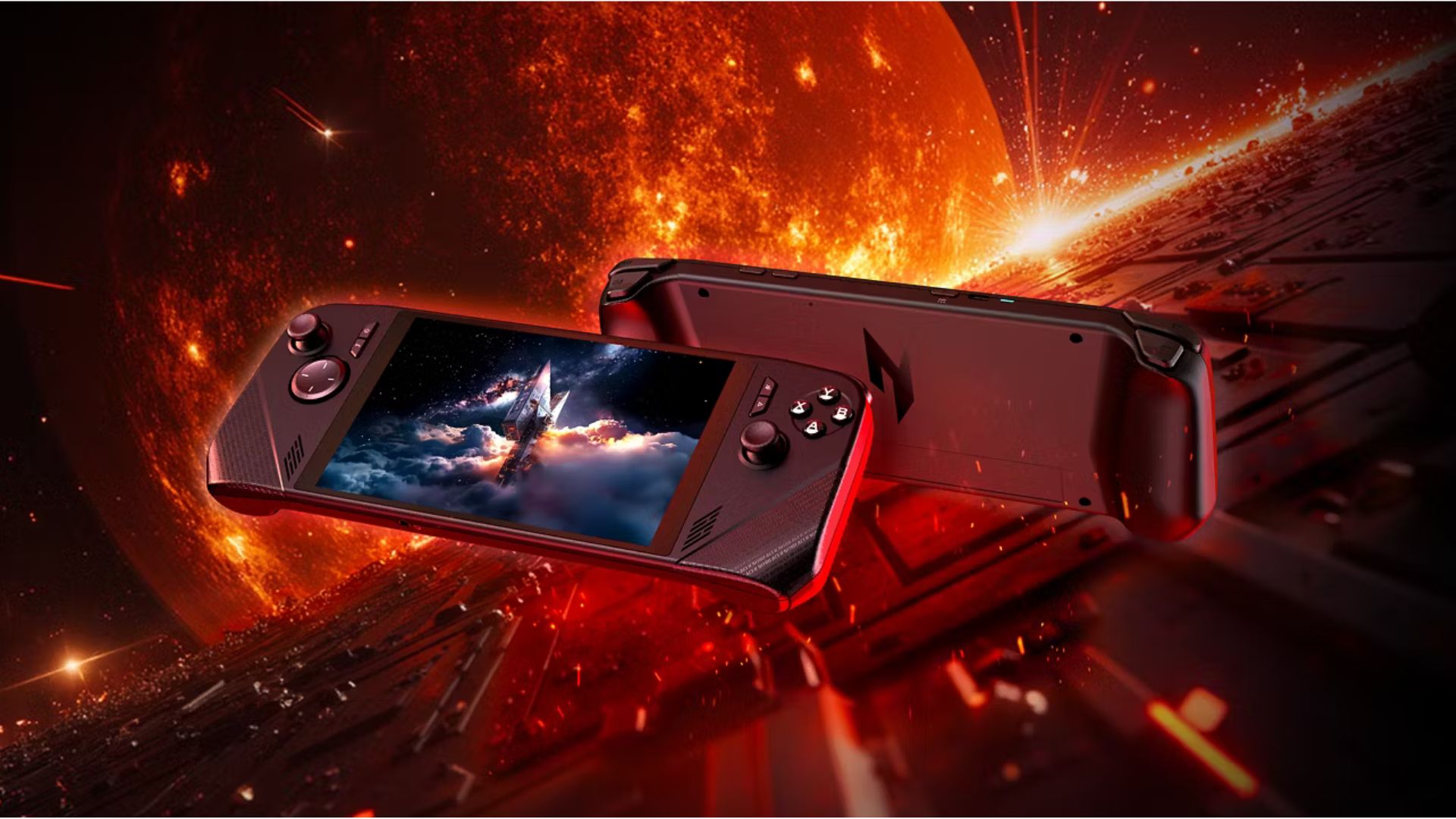
Acer’s new gaming handheld might dodge the worst of tech inflation
Acer has just announced a new gaming handheld, the Nitro Blaze Link, that's made to stream games from a local PC over Wi-Fi.

DualSense Edge Controllers Get $30 Price Cut During Days of Play
DualSense Edge controllers - both the black and white models - have received $30 discounts as part of PlayStation's Days of Play sale.
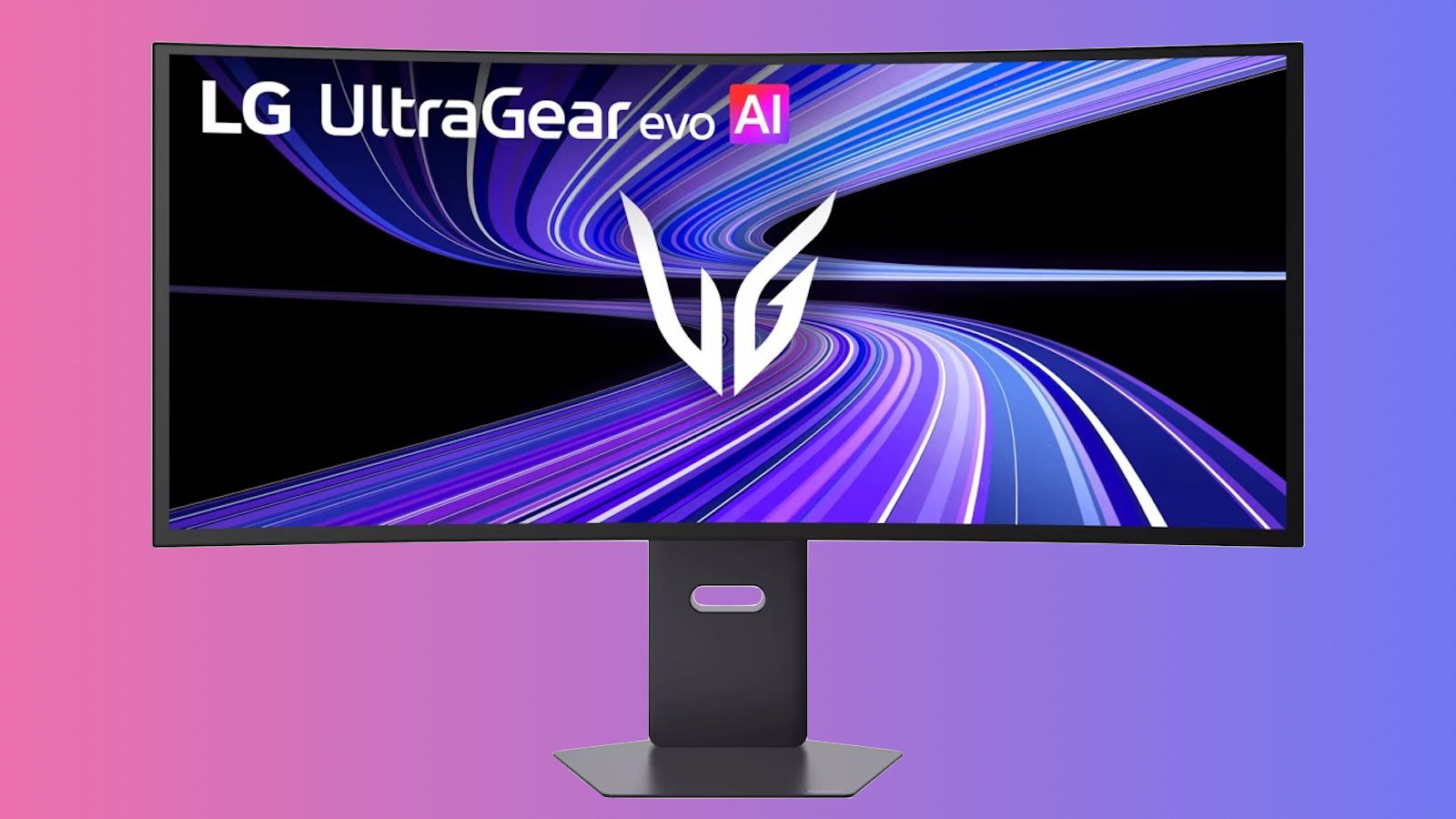
LG's 39-Inch Ultrawide 5K2K OLED Display Officially Begins Shipping Next Week
Back at CES in January, LG unveiled its UltraGear evo GX9 (39GX950B) display, which it claims is the world's first 39-inch ultrawide 5K2K OLED gaming monitor, offering a large curved canvas in the increasingly popular 21:9 aspect ratio with the added benefit of OLED technology for enhanced contrast with true blacks, standard refresh rates of up to 165Hz, and more.

Today’s Top Deals: Lenovo Legion Go S Handheld, HyperX QuadCast 2 S Streaming Mic, and Xbox Gift Card
Plus, don’t miss savings on a Switch 2 memory card, PS5 games, and more.

Microsoft delays Fable (again) to avoid GTA VI
A little bit of a longer wait for Fable.

Xbox Delays Fable to 2027
Microsoft has announced a delay to its upcoming Fable reboot, which will now launch in February 2027.

At $549, Lenovo’s Legion Go S gaming handheld is suddenly a good deal
Not the best option, but it’s cheaper now.
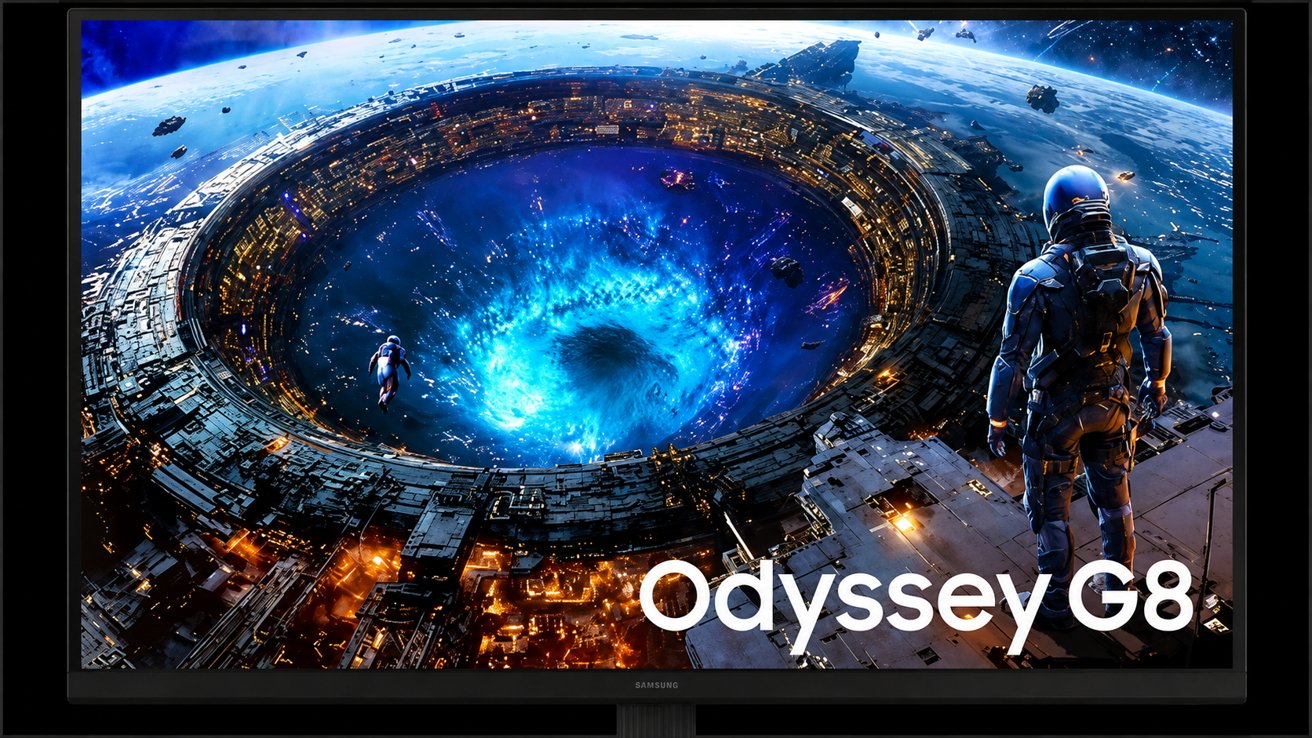
The new Mac-friendly monitors in Samsung's lineup fix problems Apple displays still have
A new wave of Samsung monitors is targeting Mac users with OLED panels, Thunderbolt 5 connectivity, and workstation features that Apple still doesn't offer in its own display lineup.

Gears of War E-Day, Fable, and Project Helix: What to Expect From Xbox's Games Showcase 2026
Every game, reveal, and surprise that we could see at Xbox's Games Showcase on June 7.

Ghost of Yotei and Ghost of Tsushima Hit All-Time Lows for PlayStation's Days of Play Sale
During PlayStation's Days of Play sale, Ghost of Yotei and Ghost of Tsushima have both seen big discounts that's dropped their prices to $49 and $29, respectively.

Infinix x PUBG MOBILE
Infinix have just announced they are partnering with PUBG MOBILE as the official gaming smartphone for the 2026 PUBG MOBILE GLOBAL OPEN, taking place in Jakarta, Indonesia, from the 2nd to the 6th of June, and featuring the top qualifiers from 2026’s national and regional tournaments so far.It’s no accident that Infinix’s latest handset has been chosen as the event’s partner: They recently unveiled Infinix GT 50 Pro’s sophisticated thermal management, featuring its Real Liquid Cooling System, the largest in the industry to date thanks to a massive 6437mm2 diaphragm area for superior heat dissipation and rapid thermal conduction. Infinix's Most Ambitious Engineering YetAny player who engages with long gaming sessions on their handset has seen what heat can do to performance. It’s not just about getting sweaty palms: overheating can cause sudden frame rate drops, and frustrating screen stuttering, not to mention battery degradation. To combat this, the GT 50 Pro contains Infinix’ most sophisticated solution to date - the HydroFlow Liquid Cooling Architecture.What makes this so innovative - and efficient - is the industry-first 100% coverage of core heat sources by micro-pump liquid cooling: This maintains a direct link between the most thermally intensive components and the liquid cooling network, pulling heat away from the most affected areas and maintaining superb stability.As if this wasn’t enough, Infinix is introducing the GT Magcharge Cooler 2.0, an industry-first wireless bypass charging and active cooling accessory. It offers both 15W wireless charging and 12W active TEC refrigeration at the same time. By powering up the phone while circumnavigating the handset’s internal battery and providing extra active cooling through advanced thermoelectric technology and a high-efficiency fan, this will take heat management to a whole new level. You can, of course, turn it off for even better performance when needed.Gamers can elevate their competitive edge with the GT 50 Pro’s Native 144FPS certification. Infinix worked directly with developers to ensure they max out the refresh rate without using frame generation or upscaling tools that aren't allowed in tournaments. As a result, the GT 50 Pro is ready to elevate anyone to a professional level on these titles. Supported by a premium 144Hz 1.5K display and ultra-responsive touch sampling, the device delivers unparalleled fluidity.This first-of-its-kind thermal management draws heat away from the system-on-a-chip — the integrated chipset that combines CPU, memory, data storage control, GPU, and more — with considerable effectiveness. For gamers, this means a stable 120 FPS over extended periods, an essential for gaming at the level we’ll see in the tournament, all thanks to Infinix’s industry-first 100% coverage of the core heat area. The device itself boasts a premium 144Hz display with 1.5K resolution and an exceptional touch sampling rate for maximum responsiveness on the battlefield.The Industry-first Open-cut Pressure-Sense GT TriggerWhile restricted in pro-level play, it’s worth noting the GT 50 Pro also has its “Pressure-Sense GT Trigger”, making the device hugely accessible and helpful for beginner who are looking to improve their game. With its innovative Dual-Pressure Mapping and Sliding Switch solution for its shoulder triggers, you can enable complex multi-action control with a single finger. Supporting up to 8 mapping points and 10 levels of adjustable pressure sensitivity, the handset comes pre-optimized for popular mobile titles to help minimize the learning curve and get you performing at a higher level, faster. That’s not to say it’s just for beginners though. With a lifespan exceeding 3 million presses and a response latency under 20ms, the GT Trigger offers elite durability and instantaneous feedback, whatever your skill level.It’s also not just for gamers, as the GT Trigger integrates sliding zoom for photography and one-touch task shortcuts, meaning quality-of-life improvements across the entire user experience.A Long-Term Commitment to CompetitionWith this collaboration launching the 2026 PUBG MOBILE GLOBAL OPEN in Jakarta for Season 1, the partnership will continue into the following Season as well, though the location for that is yet to be officially confirmed.Infinix also sponsored a number of PMGO qualifiers, giving the opportunity for teams from the Americas, Asia, the Middle East, Europe and Africa to make the journey to Jakarta, demonstrating a massive global commitment on their part. Ultimately, 32 top-tier teams from around the world will head to Indonesia to compete at the event from June 2nd - 7th, with the Grand Finals themselves taking place on the final two days.Infinix is committed to ensuring the GT 50 Pro performs at its absolute peak throughout the tournament, delivering smooth, stable gameplay for professional players competing in the 2026 PUBG MOBILE GLOBAL OPEN. By maintaining optimal thermal performance and consistent high frame rates under intense competition, the device allows pros to operate at their maximum potential while clearly showcasing the phone’s true capabilities on the global stage.Next-Gen Integration: The New GT EcosystemThe GTWATCH 5 Pro also serves as a convenient secondary screen, preventing unexpected notifications from interrupting gameplay. Beyond the screen, it features an advanced independent GNSS positioning chip with professional-grade sports algorithms. Plus, by integrating AI-driven health & fitness analytics, automatic workout detection and bluetooth heart-rate scanning, it bridges the gap between peak physical condition and elite gaming performance. Embodying the tournament slogan, “Cold Mind. Cold Play”, the Hyper Performance FINALS MVP will also be rewarded with another AIOT wearable, the new Infinix AI Glasses. This bleeding-edge tech features the latest in advanced capabilities, such as POV recording and real-time translation.On the GroundOutside of the competition itself, Infinix will also be hosting a wide variety of in-person community activations in collaboration with the PUBG MOBILE team in Indonesia. Fans attending the event in Jakarta can expect to see interactive booth activities, dedicated GT 50 Pro hands-on opportunities, exclusive giveaways, and many more surprises to be announced nearer the time.DigiPlus will be present on-site as Infinix's main dealer, selling Infinix devices with exclusive, special promos for attendees.The in-person community event in Jakarta consists of two zones held at the same venue: the Main Venue and the Carnival*. For those in the area, the Main Venue will require payment to enter, whilst the carnival zone is completely free, though prior registration is required**.Infinix is organizing watch parties worldwide, bringing together fans from different regions to collectively experience the excitement of PMGO S1 and celebrate the tournament together.The event will also be available for online viewing on the PUBG MOBILE esports YouTube channel and the livestream will be available in several languages including English, Bahasa Indonesia, Arabic, Urdu, Russian, PTBR, Spanish, Thai, and more.* While the zones are connected, moving from the Carnival into the Main Venue requires a paid ticket.** Register for the 2026 PUBG MOBILE GLOBAL OPEN Grand Final and Carnival access here

iPhone leaks, Apple Vision Pro gaming, and the Ferrari Luce, on the AppleInsider Podcast
You thought the Apple Vision Pro was expensive, but now you could choose between buying 180 of the headset, or one Ferrari Luce designed by Jony Ive. Or you could just enjoy the good, the bad, and the sometimes silly iPhone rumors that came out this week, on the AppleInsider Podcast.