Latest August 2026
Global headlines curated by our intelligent agents.
Latest News

uGreen NASync DXP4800 Pro review: Sweet spot of price & performance
At $679.99, the four-bay uGreen NASync DXP4800 Pro NAS is a capable mid-range NAS for creators and small teams in the Apple ecosystem, with an excellent value proposition.

The 65" Samsung S90F 4K QD-OLED TV Is Better Than Its 2026 Successor, and It's on Sale for Labor Day
The S90F is the last TV in the lineup with QD-OLED technology; the new 2026 removes it.
Qualcomm Raising Chip Prices Starting Tomorrow
Qualcomm is increasing prices for its chips by double digits starting tomorrow. Qualcomm announced the impending price hike back in July, letting customers know prices would go up for chips shipped after September 1. Qualcomm said it cannot continue to absorb increasing supplier costs. "We're just passing through big cost increases that we have," said Qualcomm CEO Cristiano Amon in an interview with Reuters.

IGN Australia and Chupa Chups Are Turning Westfield Parramatta Into a Retro Gaming Fun House This October
IGN Australia and Chupa Chups Are Turning Westfield Parramatta Into a Retro Gaming Fun House This October

The Blood of Dawnwalker PC Settings Guide: Maximize Your PC Performance By Tweaking These Options
While 2026 has so far been packed with incredible PC games, The Blood of Dawnwalker was the one that I was looking forward to the most. Not only does it come from a game director with an incredible pedigree, but ever since system requirements were first revealed in February, I knew that this game would absolutely punish my PC – and I’m into that. Luckily, Rebel Wolves has since lightened the system requirements a bit, now only recommending an RTX 4070 Ti for 4K 60 fps gameplay, rather than the RTX 5090 I thought it was going to require at the beginning of the year. And now that I’ve had a chance to play it, I’m pleasantly surprised at its performance, even if the visuals are a little mixed. Just like a lot of RPGs of this scope, much of what makes The Blood of Dawnwalker so beautiful is its environments. Just walking through the town and the forest in the opening chapter is jaw-dropping, with realistic foliage and water. The character models don’t quite reach the same fidelity, but I’m ok with that when just walking through the world looks as good as it does. The Blood of Dawnwalker PC Settings ExplainedWhile The Blood of Dawnwalker is available on Xbox Series X and PlayStation 5, PC is where it truly shines. This game has pretty much every graphics option I’d like in a modern game, and avoids clumping a bunch of graphics techniques into one banner. The game is quite heavy to run maxed out, but there is genuinely enough room to dial it in for better performance, pretty much whichever hardware you’re playing it on. Keep in mind, though, that The Blood of Dawnwalker is running on Unreal Engine 5. The game handily avoids the kinds of problems that have plagued Star Wars Zero Company and Halo: Campaign Evolved, but it is pretty heavy, especially on your CPU. The game will still run on a handheld, technically, but not particularly well. I played it a bit on the Lenovo Legion Go 2 at the lowest settings at 900p, and got around 24 fps indoors. So, I’d stick to your main tower for this one. But even on a tower, Blood of Dawnwalker can be very demanding. At 4K with DLSS set to Quality and on the Ultra preset, the RTX 5090 gets anywhere from 70–90 fps before frame generation. It is incredibly smooth, but that’s the type of performance you’d expect from an RTX 5090. Here's my list of recommended graphics settings, so you can spend less time wondering what each option does and more time living your best vampiric life. Shadow Quality: This one’s pretty simple and just changes the resolution and accuracy of shadows. This game has a lot of dynamic lighting, though, and this is probably one of the first settings I’d turn down to improve performance. But, it is a game where shadows do add a lot to the atmosphere, so you’ll have to weigh the importance there. Mid-Range PC: High; Handheld: LowLight Quality: It’s hard to tell from looking at this game’s gorgeous lighting, especially in the mornings and evenings, but there is no ray tracing on offer here. Still, this setting will change how detailed lights are, and the intensity of effects like global illumination and diffuse lighting. Turn it down if your performance is struggling. Mid-Range PC: High; Handheld: LowReflections Quality: I’ll admit that I’m only a couple of hours into this absolutely massive RPG, but at least in my time with it, there aren’t that many reflective surfaces. Still, this setting will change how detailed screen space reflections are, so turn it down if you start getting performance drops around water or other reflective surfaces. Mid-Range PC: Medium; Handheld: LowPost-Processing Quality: You’ll be able to toggle individual post-processing features on or off further down in the settings, so this changes how good all of those effects look. I’d keep this up on higher settings if you like a cinematic aesthetic, but you can effectively turn it off if you don’t really care about bloom or motion blur. Mid-Range PC: High; Handheld: LowTexture Quality: This mostly affects how much VRAM the game is going to eat up. I’ve spent most of my time in this game with this maxed out, and the game ate up about 10–12GB of VRAM. So I’d stick to Ultra on 16GB plus, High on anything from 8–12GB and medium or low if you have less than 8GB of VRAM. This should be one of the first things you turn down if you start running into stuttering. Effects Quality: This mostly affects particle effects, and there are surprisingly a lot of them in this game. This is going to be heavier on your CPU than anything, so I’d turn this down if you’re getting bottlenecked there. Mid-Range PC: Ultra; Handheld: LowShading Quality: This is just another way to scale the lighting in Blood of Dawnwalker. I’d turn this down early if you’re struggling to hit 60 fps. Mid-Range PC: High; Handheld: LowFoliage Quality: Simply put, foliage in this game is gorgeous, almost at the same level as something like Assassin’s Creed Shadows. But, if you notice your performance start to tank when you’re running around in the wilderness, you should probably drop this to a lower setting. But, really you should at least try running it a higher setting just to see what it looks like. Mid-Range PC: Medium or High; Handheld: LowDetail Quality: Maybe it’s just me, but having the option to tweak “Detail Quality” feels a little like changing “Detail Details.” Regardless, this changes a lot of volumetric effects like fog, along with destructible objects. I’d turn this down if you’re running into CPU issues. Mid-Range PC: Medium; Handheld: LowVolumetric Quality: This setting also changes volumetrics, but focuses more on their resolution. I’ll always turn volumetrics down before anything else, and that doesn’t change in Blood of Dawnwalker. Mid-Range PC: Medium; Handheld: LowUpscaling Technology: Unlike a lot of other Unreal Engine 5 games, Blood of Dawnwalker doesn’t try and shove TSR down your throat. Instead, Blood of Dawnwalker supports all three major upscalers from GPU manufacturers and the one you should choose depends on which graphics card you’re using. Nvidia users should use DLSS, AMD users should use FSR and Intel users should use XeSS. Upscaling Mode: Because this game is hard to run, I’d go with upscaling on performance mode if you’re struggling to hit 60 fps. However, keep in mind that performance mode will look pretty rough on lower resolutions, so you might want to lower lighting settings first. Frame Generation: This uses AI to insert interpolated frames in between rendered frames. This will nearly double your frame rate, but will increase latency by a little bit. But because this isn’t a competitive game, and isn’t even that fast-paced, I’d recommend just turning this on, especially if you have a high-refresh rate gaming monitor. Motion Blur: This is just a toggle to either enable or disable motion blur. I hate motion blur, you might love it. It’s really up to you. It won’t affect performance all that much either way. Bloom: This is another toggle, but this time for Bloom. These are the little rays of light that you sometimes see coming off of the sun or something. This will affect performance a bit, so I’d turn it off if you’re playing on a low-end GPU. But for most people on a modern gaming PC, it probably won’t make that much of an impact. Chromatic Aberration: This is an effect that tries to mimic a camera lens. I don’t notice much of a difference whether its enabled or not, so I’d try it each way and see what you prefer. This won’t affect performance much if at all. Depth of Field: This will blur distant objects, especially in cutscenes. This is a nice effect, and I usually leave it on, but turn it off if you want everything to be crystal clear. Jackie Thomas is the Hardware and Buying Guides Editor at IGN and the PC components queen. You can follow her @Jackiecobra

Amazon Resale Has a Like New Nintendo Switch Pro Controller for Just $48.12 With Free Shipping
Switch 2 compatible.

The Google TV Streamer now costs $50 more
Would you pay $149 for a streaming device from 2024?

PlayStation Is Set to Pay Out $7.85 Million to Users as Part of Class-Action Lawsuit
PlayStation users may be eligible for a cut of a $7.85 million class-action lawsuit settlement very soon.
PlayStation Is Set to Pay Out $7.85 Billion to Users as Part of Class-Action Lawsuit
PlayStation users may be eligible for a cut of a $7.85 billion class-action lawsuit settlement very soon.

Save up to $1600 on Roborock products, including the flagship Saros 20
It’s Roborock’s 12th anniversary, and the high-tech cleaning company is celebrating by offering generous discounts across its range of robot...

Codex report: Four months of building joy on my Mac with ChatGPT
9to5Mac is brought to you by Memoket: The Memoket Gem is an 11g AI wearable that slots beside your Apple...

JMGO’s very bright all-in-one projector looks ideal for gamers and sports
Game on!
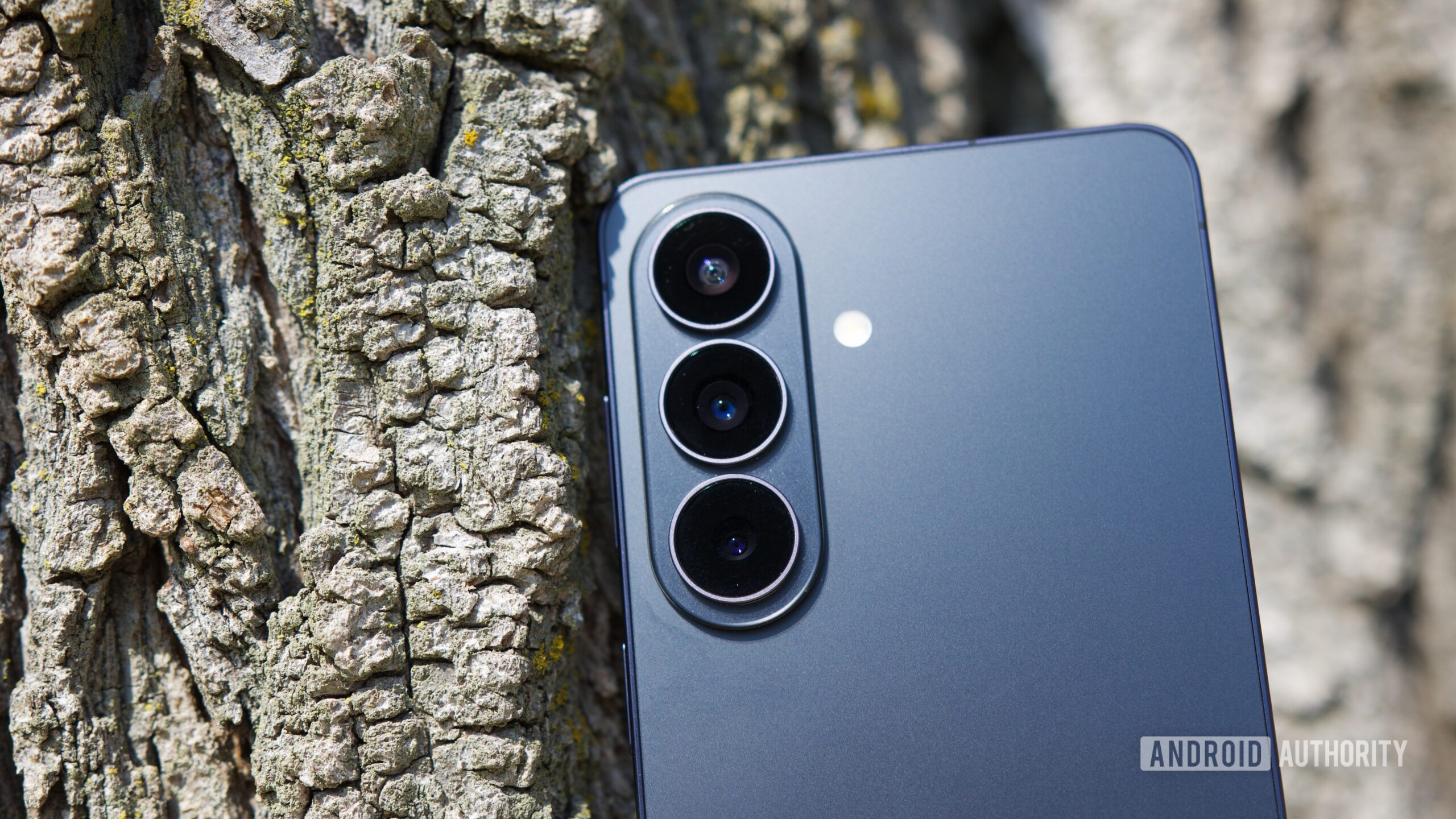
Galaxy S27 and S27 Plus could finally get a meaningful zoom camera upgrade
A new leak suggests the Samsung Galaxy S27 and S27 Plus may be upgraded with the same 3x telephoto system as the S27 Pro.

I went to the loneliest baseball game on Apple Vision Pro
Is this the future of sports?
Apple Releases New iOS 27, iPadOS 27, macOS 27, and tvOS 27 Public Betas
Apple today released the sixth public betas of iOS 27, iPadOS 27, tvOS 27, and macOS Golden Gate, allowing anyone with a compatible device to download and test the new software. The sixth betas come a week after Apple seeded the fifth betas and a few hours after the eighth developer betas. You can get started by signing up on Apple's beta website and then opting in to the public beta by opening up the Settings app on your device, selecting General, and choosing Software Update.

Apple ends hardware support for three Intel MacBook models
Apple has ended official hardware support for three Intel MacBook models from 2017 and 2018, leaving owners to turn to third-party repair options.

New evidence shows OpenAI's trade secret theft & destruction of evidence, says Apple
Apple has been urging the court to require expedited discovery, and information discovered on Chang Liu's work MacBook suggests OpenAI is actively destroying evidence.

Apple Says Former Engineer Used Stolen Trade Secrets at OpenAI, Taught AI Agent to Run Them
Apple today submitted new evidence in its lawsuit against OpenAI, with the hope that the new information will persuade the judge to grant an expedited discovery process. Apple filed a theft of trade secrets lawsuit against OpenAI employees Chang Liu and Tang Tan in July, accusing them of using multiple methods to steal data from Apple. Liu kept an Apple-issued MacBook after he left for OpenAI, and Apple got it back after the lawsuit was filed.

iPhone 18 Pro: Three reasons you might want to upgrade from iPhone 17 Pro
iPhone 18 Pro is almost here, and while most iPhone 17 Pro owners won’t upgrade so soon, here are three main reasons they might want to.

The 2026 65" LG Evo C6 4K OLED TV Drops to $1,199.99 During the eBay Labor Day Sale
LG sells the most OLED TVs, which shouldn't come as a surprise to anyone. Usually the current year model is quite expensive and I typically recommend getting the prior year model for significant cost savings. This time around, however, there's a great deal on a 2026 LG OLED TV that you might not want to miss.For a limited time, eBay via Electronic Express has dropped the price of the 2026 65" LG Evo C6 4K OLED TV to $1,199.99 with free delivery after 20% off coupon code "LABORDAY20". Electronic Express is an authorized LG reseller so you get the 1 year warranty. That's by far the lowest price I've seen for this TV (everyone else has it "on sale" right now for $1,500)2026 65" LG Evo C6 4K OLED TV Drops to $1,199.99More sizes are also on sale. C6H models (77", 83") have a Tandem OLED panel.83" (C6H) model for $3499.9977" (C6H) model for $1,999.9955" model for $1,039.9942" model for $879.99The C6 is LG's current 2026 model in the LG's C-series OLED TV lineup. The C6 improves upon last year's C5 model with upgraded 165Hz max refresh rate (vs 144Hz) and a new Alpha 11 Gen 3 processor with better AI processing.LG's C-series OLED TV in general has been our favorite TVs for console gaming for many years thanks to its outstanding image quality, low input lag, and high refresh rate. This is one of the best TVs you can get for streaming 4K HDR content in its intended glory. It boasts the near-infinite black levels, near-infinite contrast ratio, and near-instantaneous response times you'd expect from any OLED TV. It's also equipped with LG's proprietary Evo panel, which is significantly brighter and offers a wider color gamut than traditional W-OLED TVs.The C6 is also equipped with modern gaming features that make it a perfect complement to current generation consoles like the PlayStation 5 and Xbox Series X, including a native 120Hz panel that can be pushed to as high as 165Hz, HDMI 2.1 inputs, variable refresh rate and auto low latency mode.How to Follow IGN Deals RecommendationsThe IGN Deals team has over 30 years of combined experience finding the best discounts and preorders available online. If you want the latest updates from our trusted team, here’s how to follow our coverage:Sign up for our IGN Deals NewsletterSet IGN as a preferred source in GoogleFollow us on social mediaIGN Deals on XIGN Deals on InstagramIGN Deals on FacebookIGN Deals on TiktokEric Song is the IGN commerce manager in charge of finding the best gaming and tech deals every day. When Eric isn't hunting for deals for other people at work, he's hunting for deals for himself during his free time.

Apple reveals ‘shocking evidence’ from ex-employee’s MacBook in OpenAI suit
Apple has filed a new document in its ongoing lawsuit against OpenAI as it continues to push for expedited discovery....
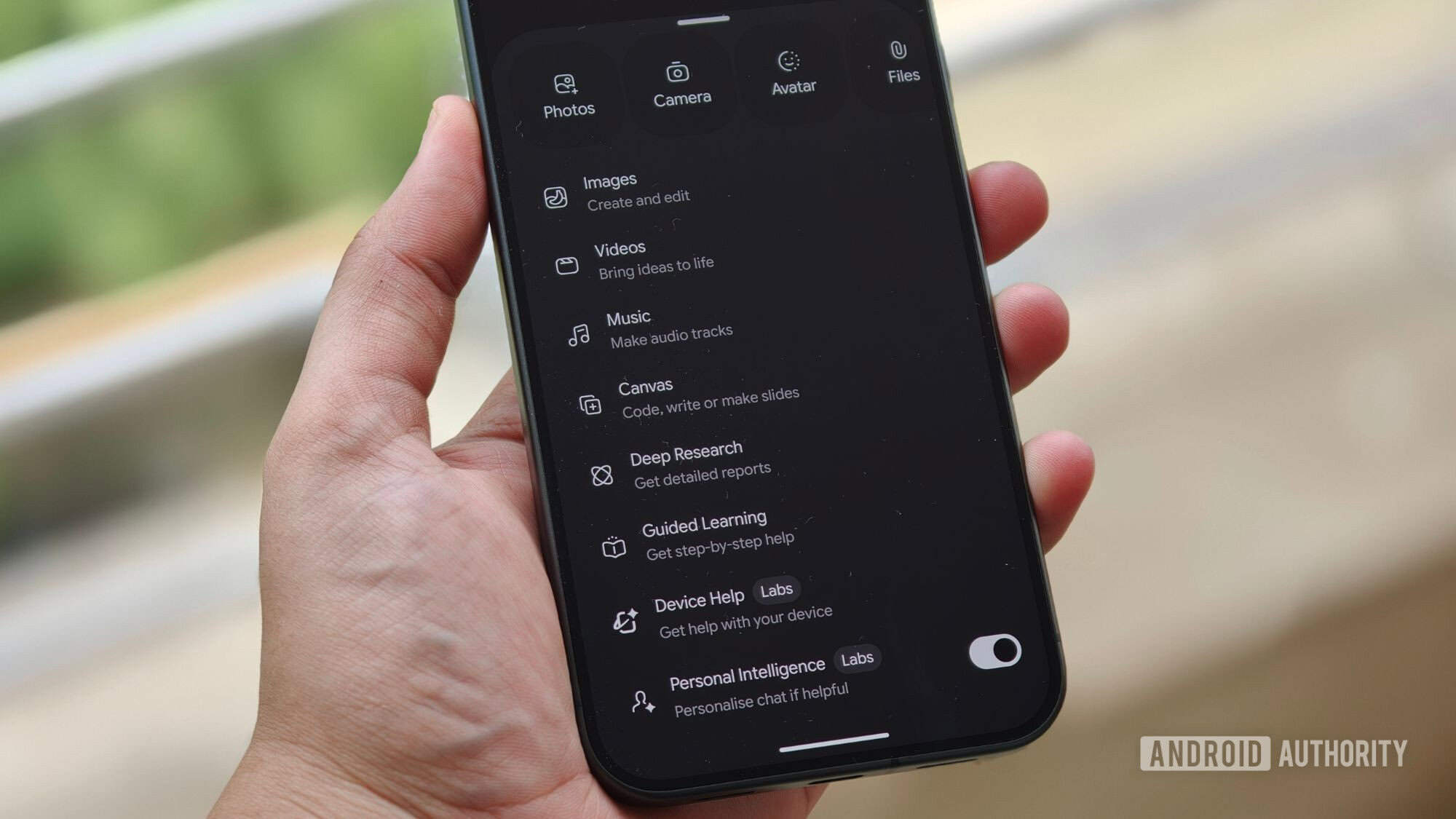
PSA: Gemini can adjust system settings on any Pixel running Android 17
A Gemini feature that lets the AI adjust system settings on Android is coming to more phones soon, a Google employee has shared.
![How to run Mario Kart 64 with native Metal rendering, high frame rate, and HD textures on iPhone [Video]](https://9to5mac.com/wp-content/uploads/sites/6/2026/08/Mario-Kart-64-SpaghettiPad-Tutorial-Native-Metal-Rendering-iPhone-018.jpg?quality=82&strip=all&resize=1200,628)
How to run Mario Kart 64 with native Metal rendering, high frame rate, and HD textures on iPhone [Video]
How to run Mario Kart 64 on iPhone with native Metal rendering, 60 fps, full screen support, and high resolution textures.

The iBuyPower GeForce RTX 5060 Ti 16GB Gaming PC Drops to Just $899 Shipped
There's a strong chance this deal is too good to be true.